Cineplex Store TV APP

Desigining a First Time Experience

Desigining a First Time Experience

Role.

Visual Designer, User Experience

Contributions.

UX/UI Design, Research, Ideation, Hi-fidelity Prototype

YeAR.

2022

What is a FTE?

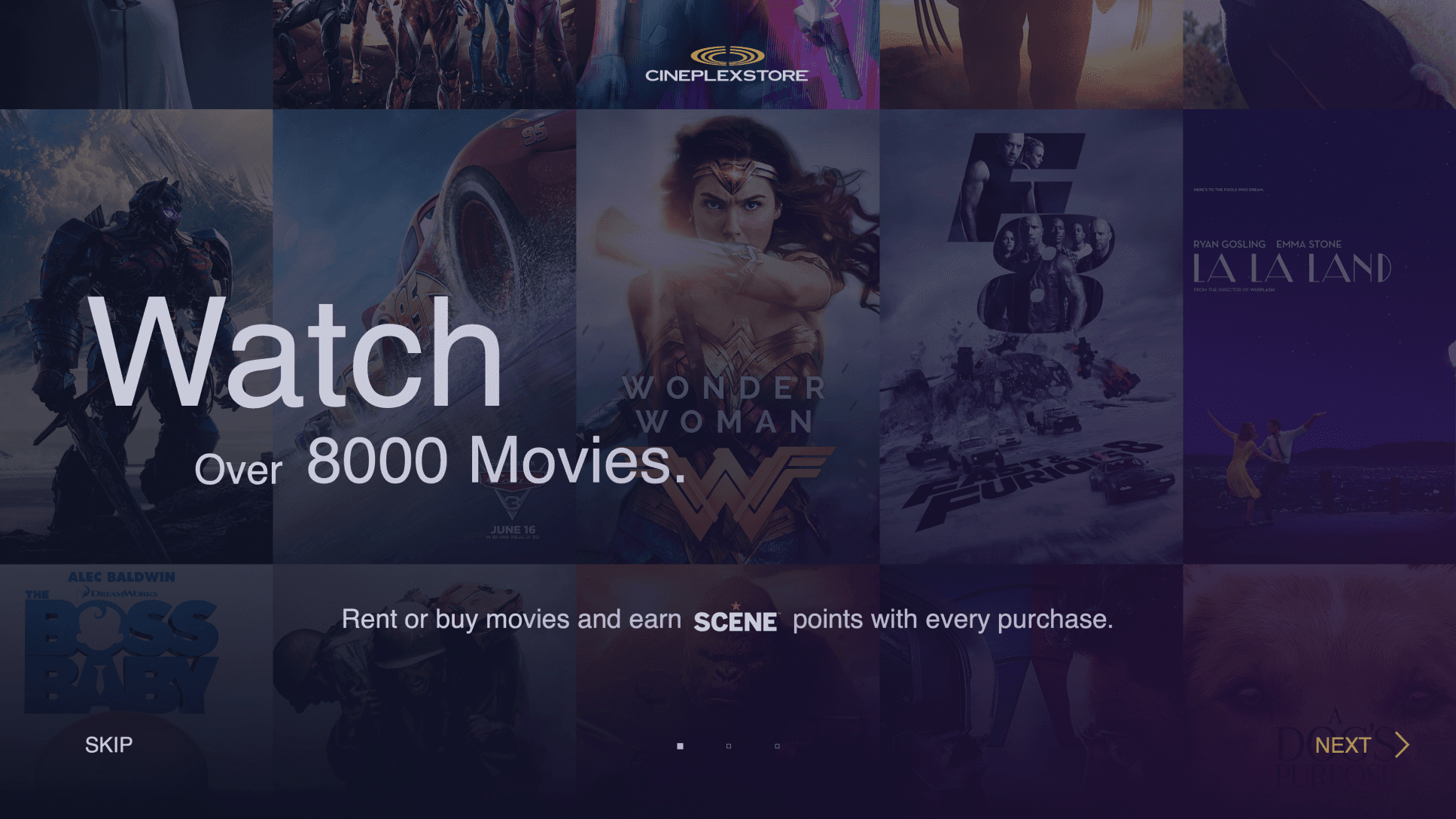
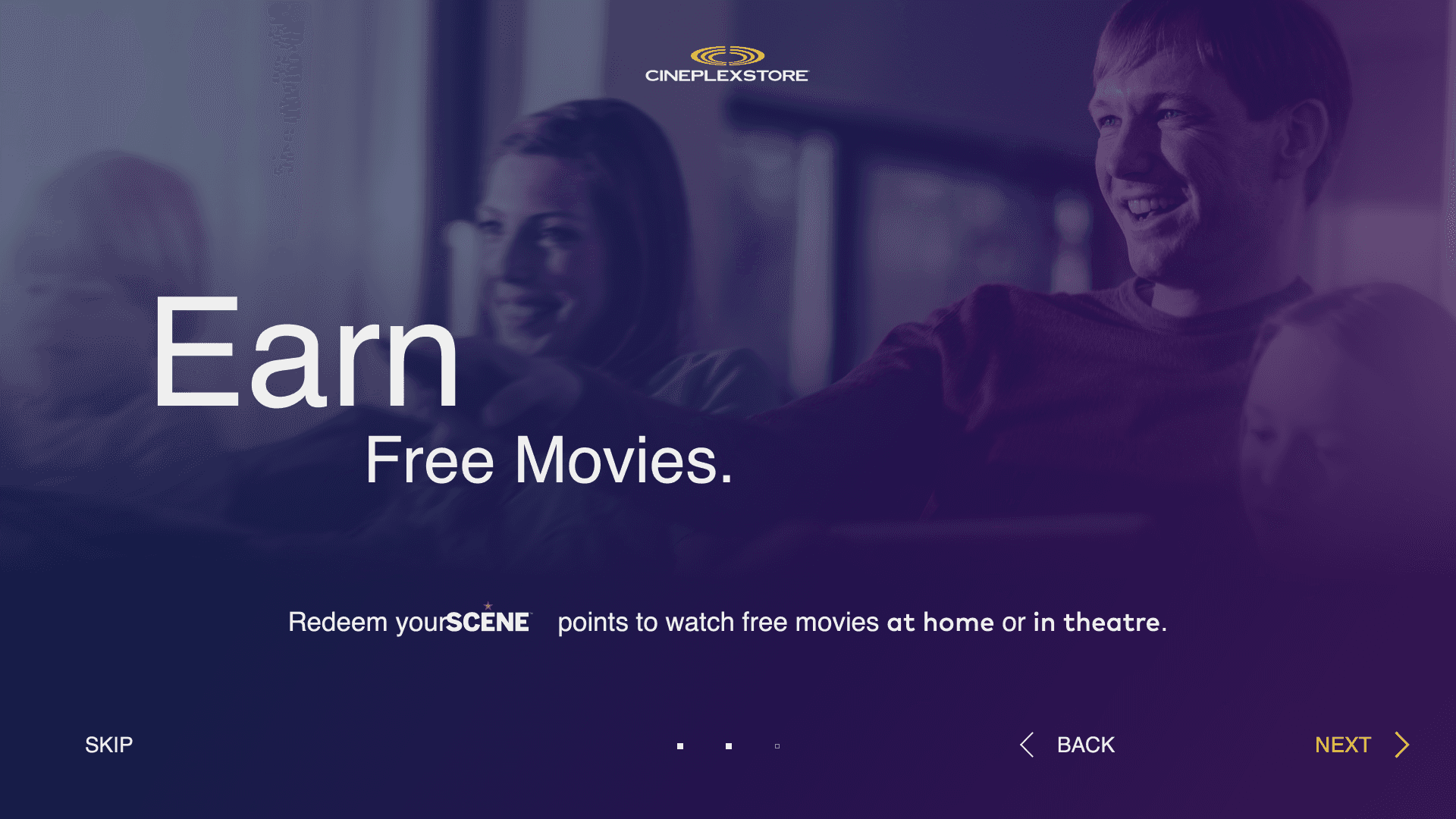
First time experience (FTE) is the initial landing page that users see when launching the Cineplex Store TV App for the first time. This page highlights the features of the app, prompts users to sign up or log in, and invites them to the home page to explore the latest movies.

First time experience (FTE) is the initial landing page that users see when launching the Cineplex Store TV App for the first time. This page highlights the features of the app, prompts users to sign up or log in, and invites them to the home page to explore the latest movies.

First time experience (FTE) is the initial landing page that users see when launching the Cineplex Store TV App for the first time. This page highlights the features of the app, prompts users to sign up or log in, and invites them to the home page to explore the latest movies.

Understanding the current experience
Following a casual meeting where the team mentioned the current FTE has been in place for several years, I initiated a problem discovery process by annotating the current user experience.

  1. Lack of symmetrical interaction, words and images don't tell the same story.

  2. Similar content repeated across different pages.

  3. Missing direct CTAs to guide users to sign up or log in.

  4. Deficiency in brand identity as the overall branding did not convey Cineplex's story effectively. 

  5. Outdated Visuals, Cineplex utilizes vibrant and chromatic billboard images and movie posters across all channels, visual representation should be consistent. 

Following a casual meeting where the team mentioned the current FTE has been in place for several years, I initiated a problem discovery process by annotating the current user experience.

  1. Lack of symmetrical interaction, words and images don't tell the same story.

  2. Similar content repeated across different pages.

  3. Missing direct CTAs to guide users to sign up or log in.

  4. Deficiency in brand identity as the overall branding did not convey Cineplex's story effectively. 

  5. Outdated Visuals, Cineplex utilizes vibrant and chromatic billboard images and movie posters across all channels, visual representation should be consistent. 

Following a casual meeting where the team mentioned the current FTE has been in place for several years, I initiated a problem discovery process by annotating the current user experience.

  1. Lack of symmetrical interaction, words and images don't tell the same story.

  2. Similar content repeated across different pages.

  3. Missing direct CTAs to guide users to sign up or log in.

  4. Deficiency in brand identity as the overall branding did not convey Cineplex's story effectively. 

  5. Outdated Visuals, Cineplex utilizes vibrant and chromatic billboard images and movie posters across all channels, visual representation should be consistent. 

Challenge accepted 🎉

After analyzing the current experience and bringing it to our team, we have decided to kick off the revamp of the FTE to effectively showcase the benefits and offerings of Cineplex Store.

After analyzing the current experience and bringing it to our team, we have decided to kick off the revamp of the FTE to effectively showcase the benefits and offerings of Cineplex Store.

Understanding the market

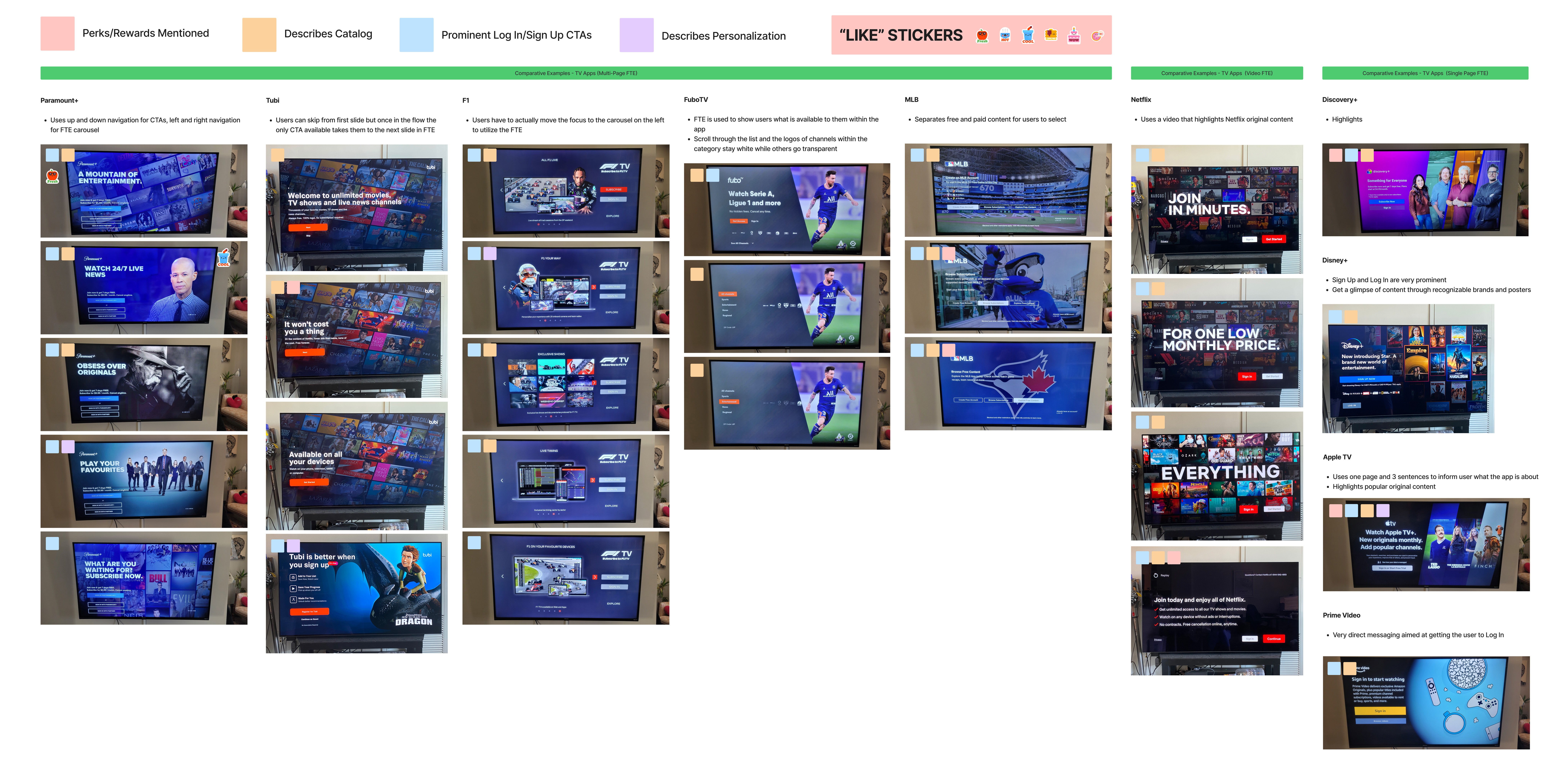
I collaborated with the UX Designer for this project to gain a deeper understanding of how other streaming services and TV Apps present essential information while providing an engaging first time experience. 

We classified our discoveries into multi-page, single-page, and video, and used color-coding to indicate the distinct elements featured on each platform. 

Key takeaways: 

  1. Describe the catalog is a must 

  2. Prominently feature sign up and log in CTAs

  3. Summarize the app with a tagline

I collaborated with the UX Designer for this project to gain a deeper understanding of how other streaming services and TV Apps present essential information while providing an engaging first time experience. 

We classified our discoveries into multi-page, single-page, and video, and used color-coding to indicate the distinct elements featured on each platform. 


Key takeaways: 

  1. Describe the catalog is a must 

  2. Prominently feature sign up and log in CTAs

  3. Summarize the app with a tagline

From researching to sketching


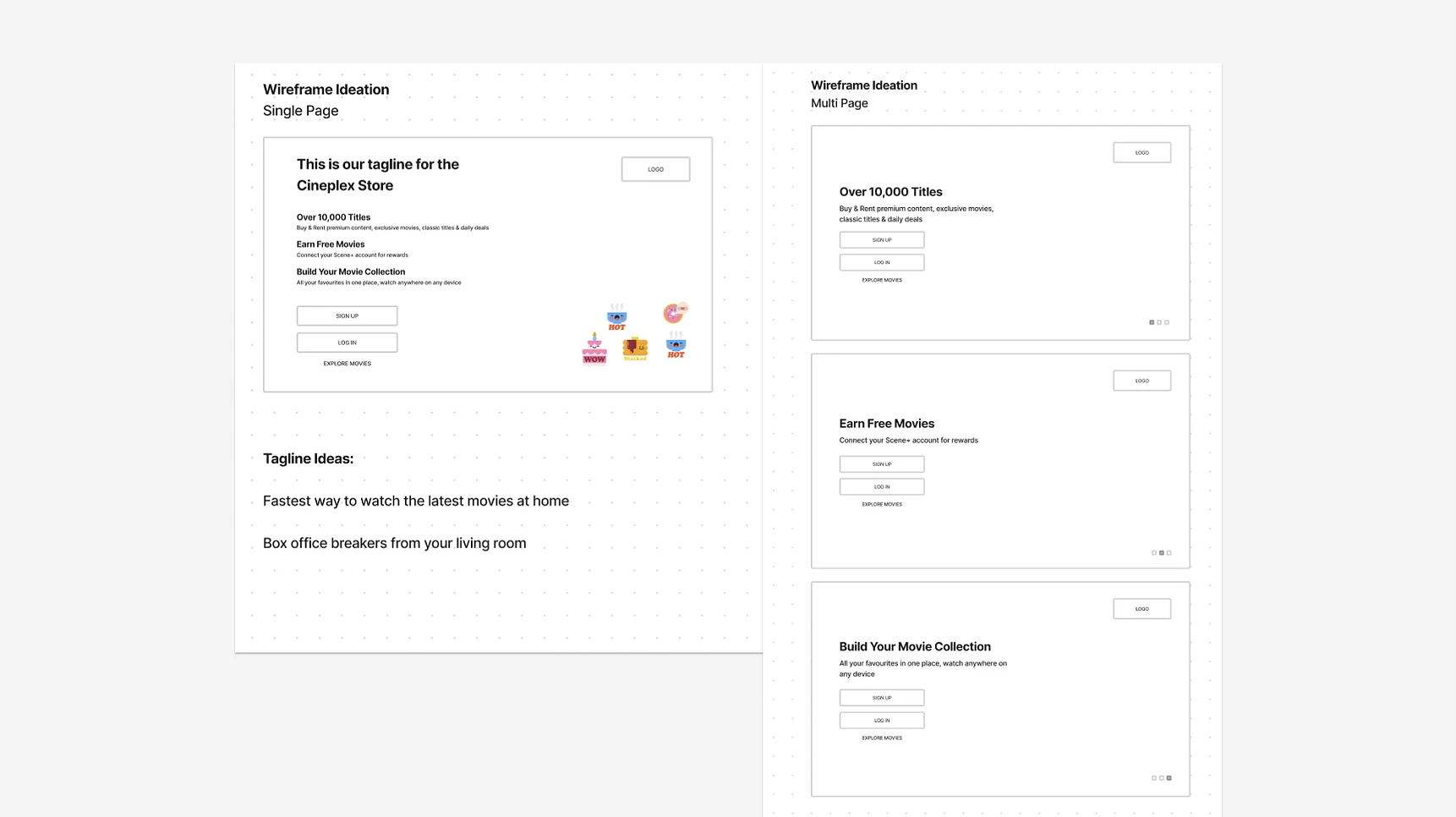
Based on the discoveries, we have decided to prioritize on ideating for a single page layout. Our aim is to enable users to quickly understand a summary of all the features we offer, without the need to navigate through multiple pages. We still provided the option of a multi-page layout for stakeholders.

We took the first step to brainstorm layout, structure and tagline. Following this, I proceeded with initial ideation on colors, fonts, CTAs, and potential background options. 

Based on the discoveries, we have decided to prioritize on ideating for a single page layout. Our aim is to enable users to quickly understand a summary of all the features we offer, without the need to navigate through multiple pages. We still provided the option of a multi-page layout for stakeholders.

We took the first step to brainstorm layout, structure and tagline. Following this, I proceeded with initial ideation on colors, fonts, CTAs, and potential background options. 

Aligning on design directions

We held the first stakeholder meeting to gather feedback. Participants voted with "like" stickers on the layout they prefer. As a result, the single page layout was the winner. The team also aligned on the tagline "The fastest way to watch the latest movies"

We held the first stakeholder meeting to gather feedback. Participants voted with "like" stickers on the layout they prefer. As a result, the single page layout was the winner. The team also aligned on the tagline "The fastest way to watch the latest movies"

Finalizing Layout

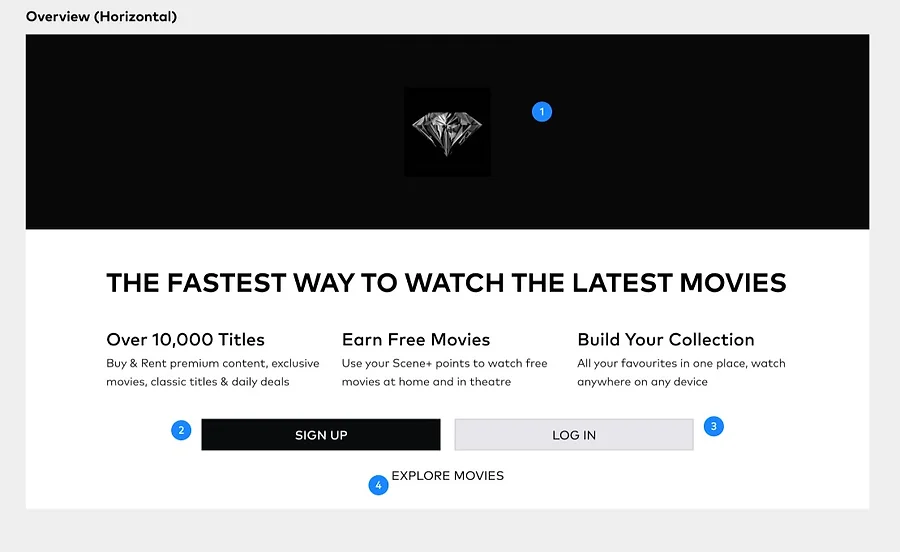
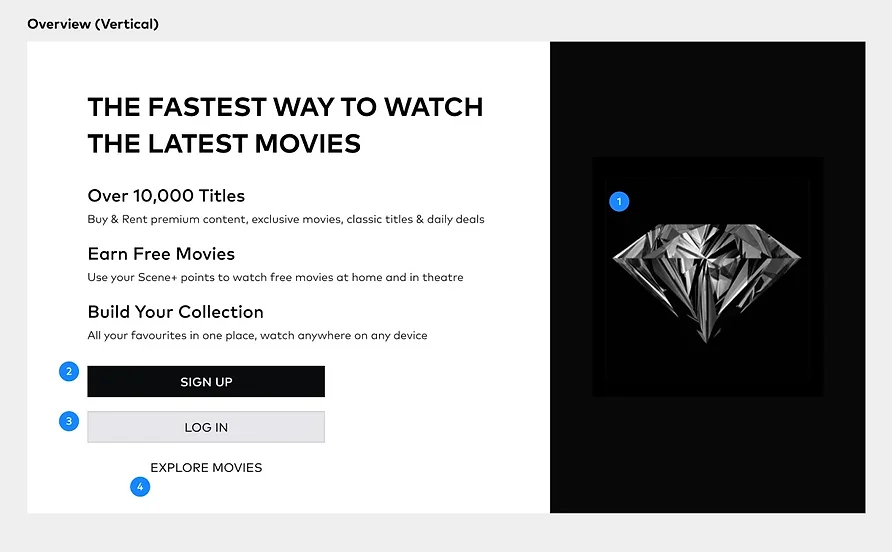
The final wireframes were delivered to me from the UX Designer with 2 approaches: a horizontal layout and a vertical layout.

The final wireframes were delivered to me from the UX Designer with 2 approaches: a horizontal layout and a vertical layout.

I opted for the horizontal layout. From an eye tracking perspective, the user's attention will be drawn to the tagline located at the center of the TV screen. They can then quickly scan through the 3 features presented on the same line. Whereas with the vertical layout, the user will need to read the features one by one.

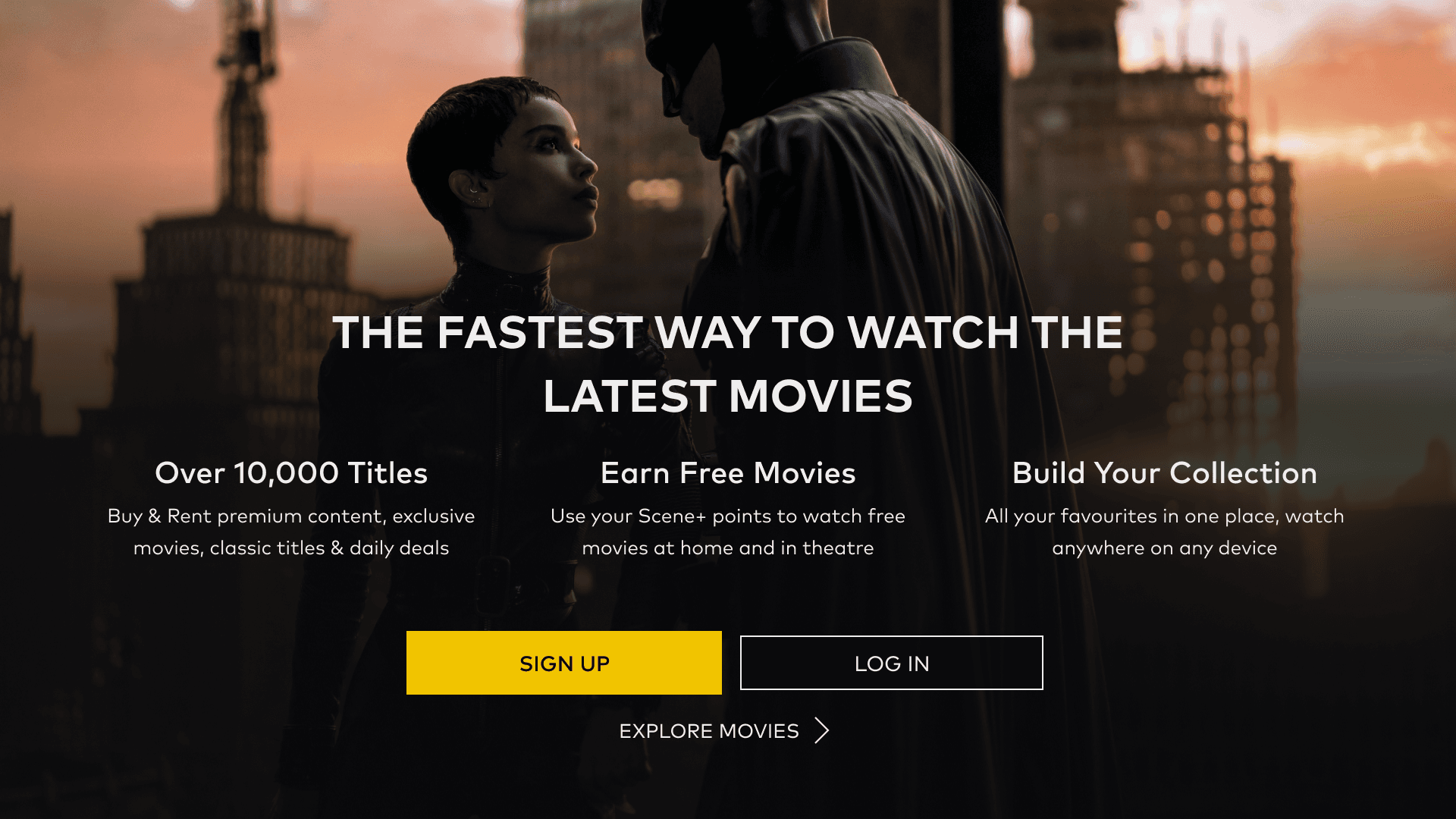
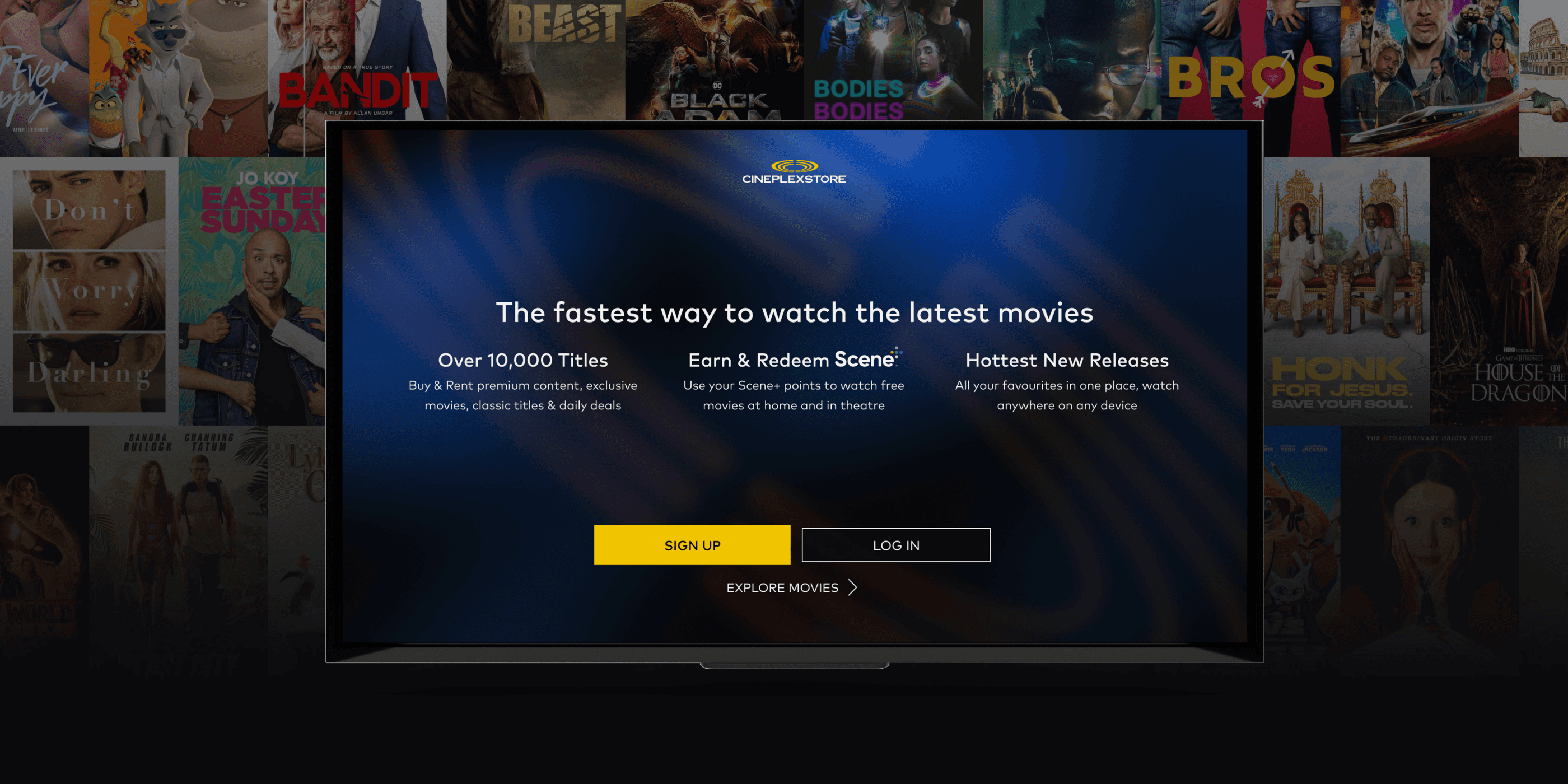
To ensure a unified brand image across all Cineplex's channels, I collaborated with the marketing team to obtain billboard images and movie posters to use as backgrounds.

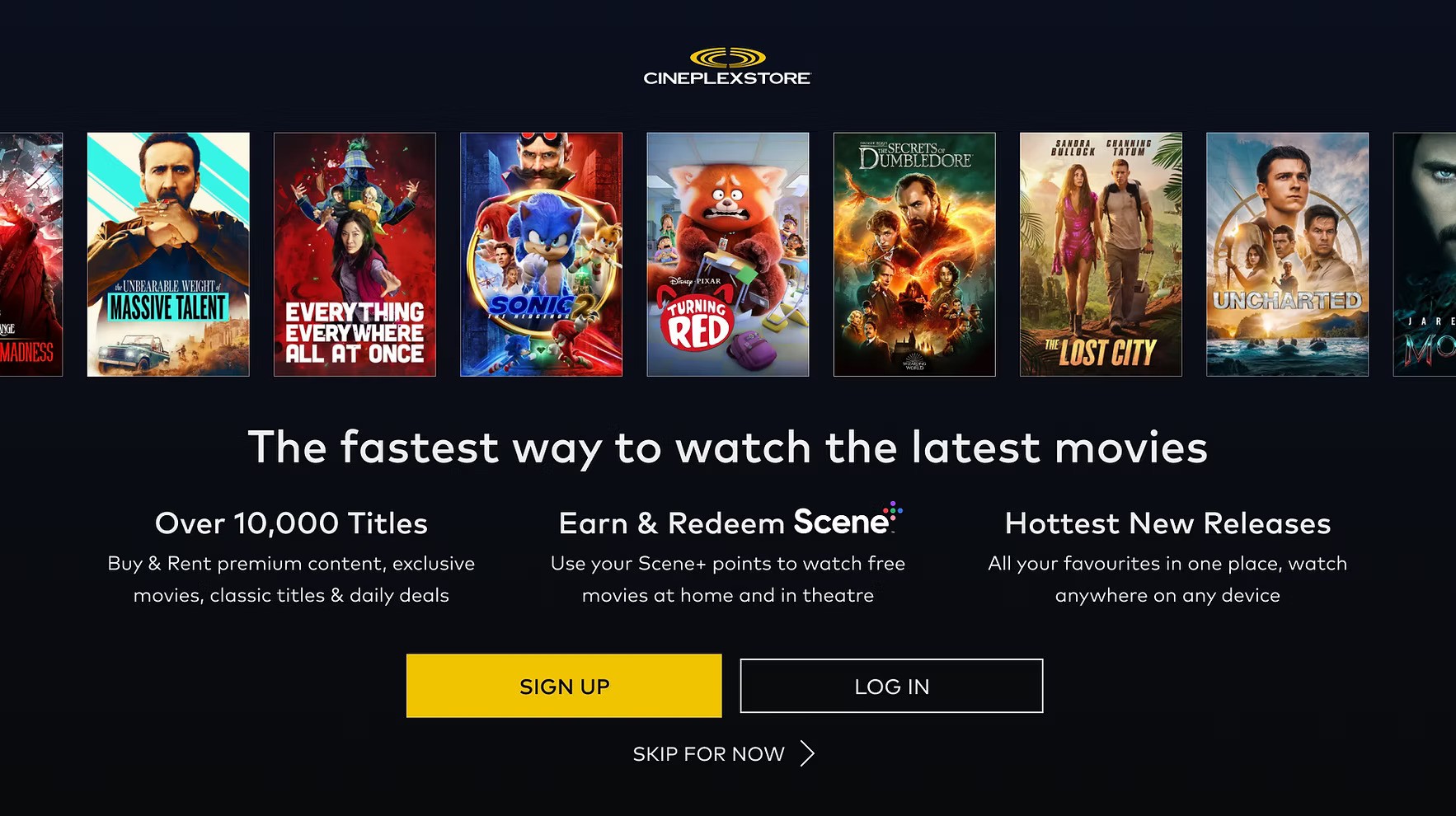
Then I drafted two designs, one using a billboard image, another with a movie poster rail. I proposed turning it into a dynamic move rail, allowing users to easily access more information about a movie with a simple click.

I opted for the horizontal layout. From an eye tracking perspective, the user's attention will be drawn to the tagline located at the center of the TV screen. They can then quickly scan through the 3 features presented on the same line. Whereas with the vertical layout, the user will need to read the features one by one.

To ensure a unified brand image across all Cineplex's channels, I collaborated with the marketing team to obtain billboard images and movie posters to use as backgrounds.


Then I drafted two designs, one using a billboard image, another with a movie poster rail. I proposed turning it into a dynamic move rail, allowing users to easily access more information about a movie with a simple click.

User Testing

Since TV screens have one focus state only, I prioritized placing on sign-up first instead of the movie posters. I collaborated with the UX Researcher to test users' interaction with the posters to determine if they will click on them even if they are not in focus. Unfortunately, only 2 out of 5 users attempted to interact with the rail.

Sharing design progress for feedback

I shared and explained both design ideas along with user testing results for a dynamic movie reel. The Stakeholders were interested in the dynamic reel approach, however, aside from the user test results, one concern coming from our developers was that dynamic content might not be able to be integrated for the initial deployment.

Some concerns also arose regarding the workload required to frequently update the posters or billboard images to reflect new releases. Another concern from the marketing team was that obtaining approval for movie images from studios can be time consuming, which could result in delays for updates.

Devising a backup plan

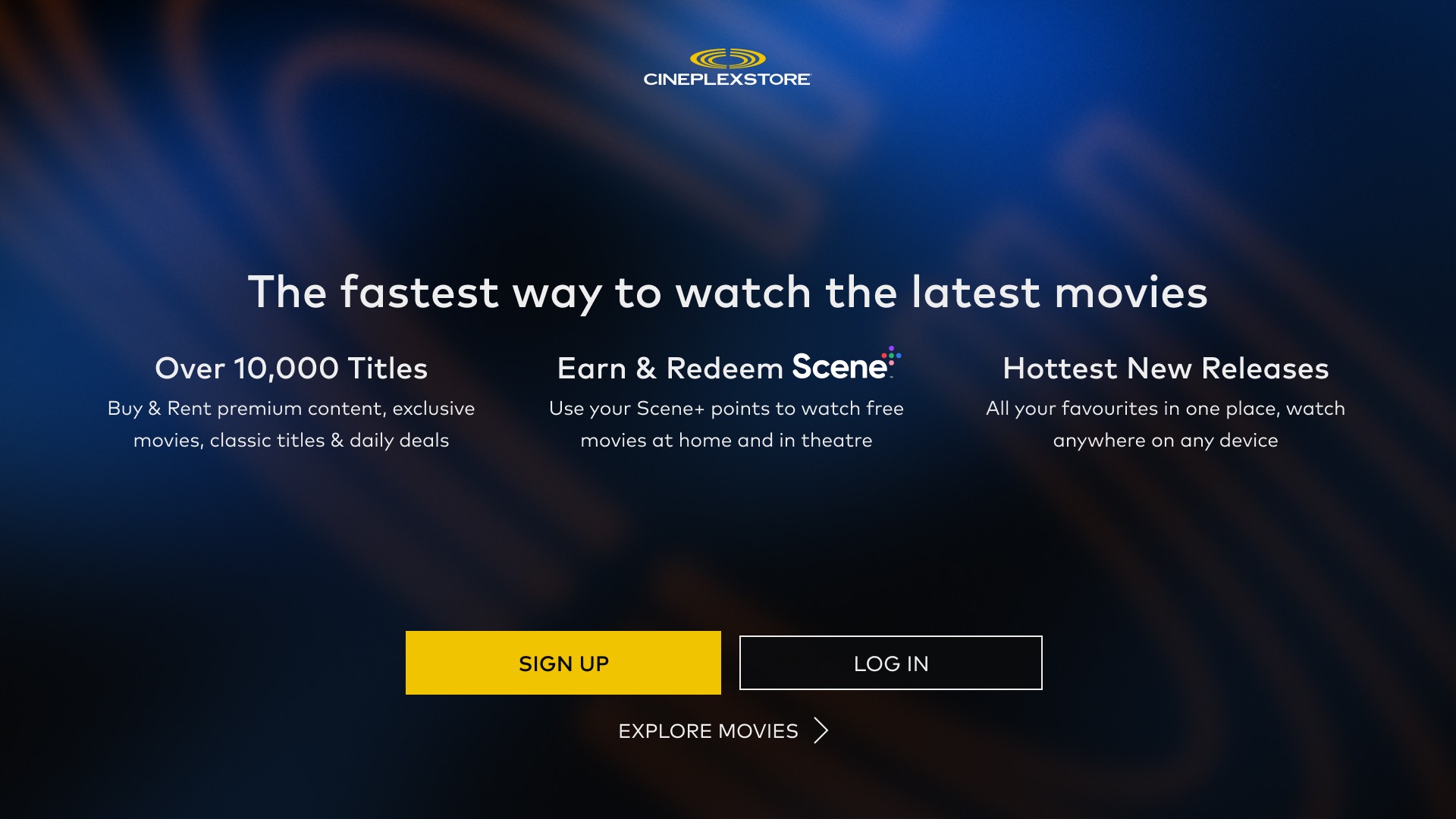
Following the meeting, I came up with a backup solution, designing a generic background FTE to address both the uncertainty in shipping dynamic content and the time and workload it takes to frequently update images.
Before Deployment

In the final meeting, it was decided to use the generic background FTE for the initial deployment.